
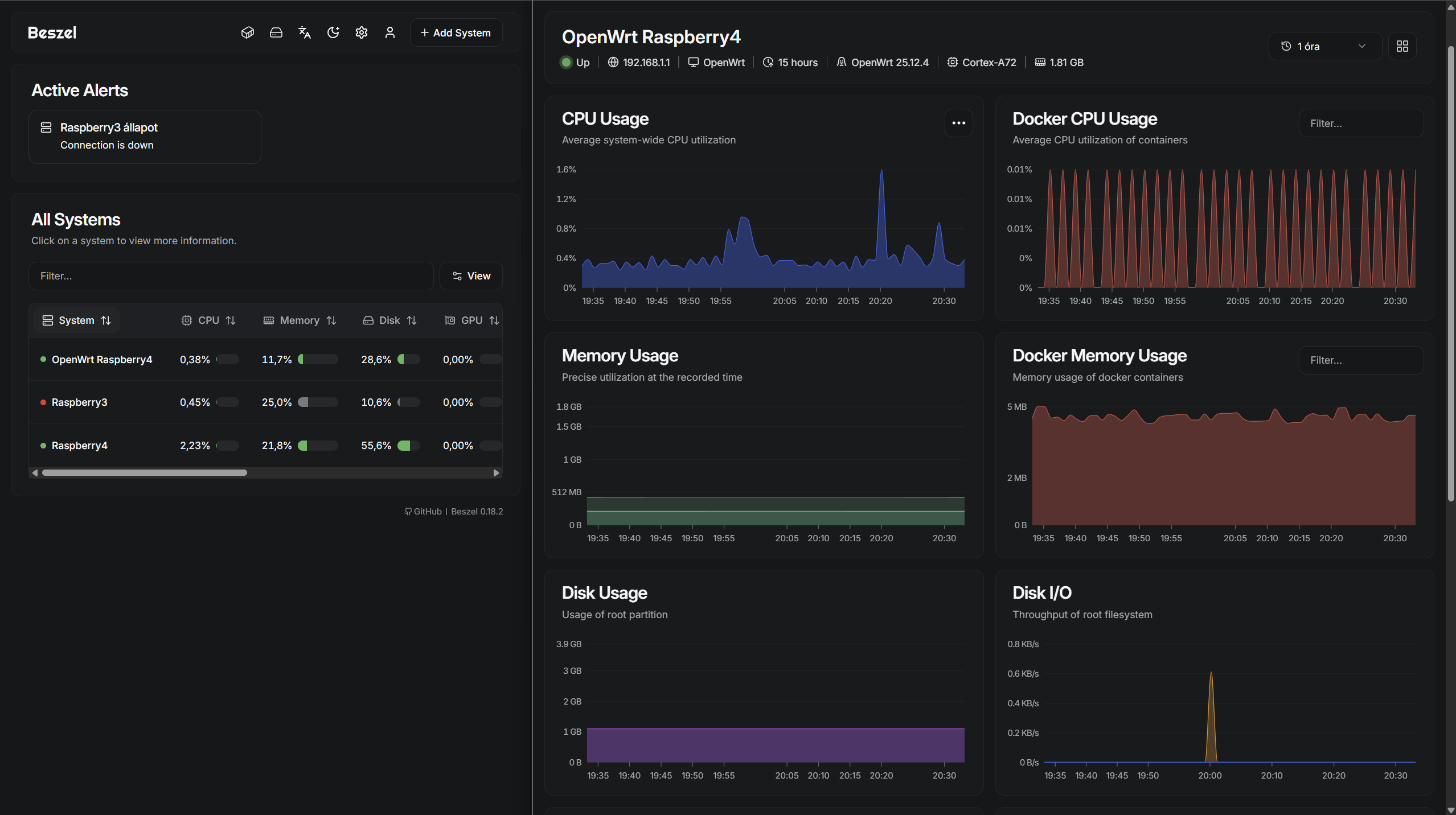
I already have beszel.dev to monitor my SBC fleet including my router, but it will only give an alert if the SSD is already down. I wanted to see warnings before the catastrophe.
My home server is a Raspberry Pi 4 running 24/7, booting from a 240GB ADATA SD600Q external USB SSD. Since it’s constantly writing data, the flash memory is slowly wearing out. I needed a way to track its health, temperature, and wear-leveling so I could replace it before I suffered total data loss.
Enter Scrutiny, an awesome S.M.A.R.T. monitoring dashboard. But getting it to work with a USB SSD on a Pi wasn’t as straightforward as I hoped. Here is how I set it up, the hurdles I hit, and what I learned about Linux hardware along the way.
The Hurdle: Cheap USB Bridges
Scrutiny uses a backend tool called smartmontools to talk to your drive. My first step was running a basic health check: sudo smartctl -i /dev/sda.
Instead of my drive’s health, I got this: Unknown USB bridge [0x125f:0xa88a]
Because the ADATA drive is essentially a SATA SSD stuffed inside a USB enclosure, the Pi’s USB controller didn’t know how to pass the S.M.A.R.T. data through. Thankfully, there’s a workaround. You have to force the SCSI-to-ATA Translation (sat) protocol.
Running sudo smartctl -i -d sat /dev/sda bypassed the bridge chip and successfully pulled my drive’s serial number and confirmed SMART support is: Enabled. We were in business.
The Setup Pivot: Bare-Metal to Docker
Initially, I wanted to run Scrutiny bare-metal. I try to avoid Docker on my Pi to save system resources. I manually downloaded the ARM64 binaries, set up the folders, created a custom systemd service, and mapped it to port 8090 (since Beszel was already hogging my original port).
But then I realized the fatal flaw of bare-metal: No automatic updates.
Because this is a “set it and forget it” 24/7 server, I didn’t want to manually stop services and download tarballs every time Scrutiny patched a bug. So, I scrapped the bare-metal install, installed Docker, and built a custom docker-compose.yml file using the Scrutiny “Omnibus” image.
To solve the update problem, I spun up Watchtower right alongside it. Now, Watchtower checks GitHub every 24 hours, and if there’s a new Scrutiny image, it cleanly updates the container while I sleep.
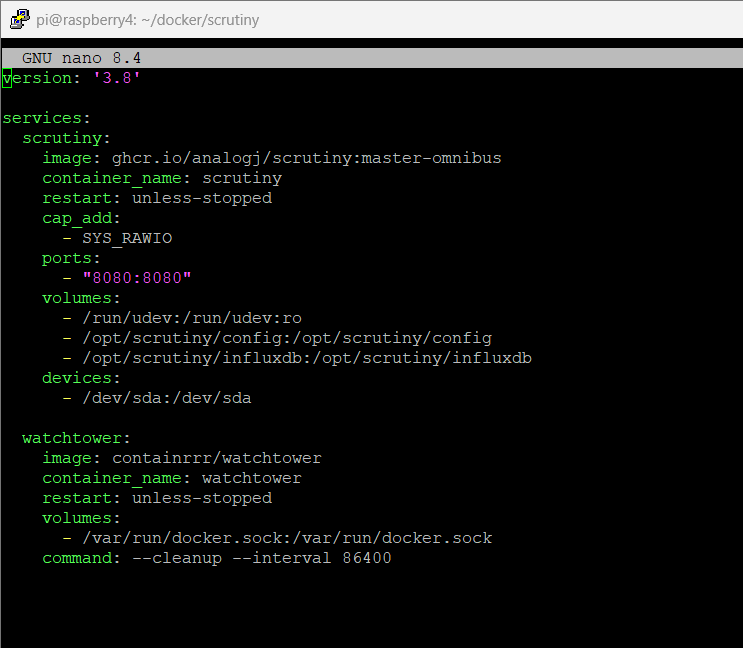
Note for the config: I had to mount a collector.yaml file into the container to permanently pass that -d sat override to the Scrutiny backend, otherwise it would hit the same USB bridge error.
A Quick Linux Lesson: What exactly is /dev/sda?
While setting up the config, I had to point Scrutiny at /dev/sda. It made me wonder: is that my actual drive?
Yes, but also no. In Linux, “Everything is a file.” /dev/sda is a device node—a direct communication pipe to the physical hardware chip.
Running the lsblk command visualizes this perfectly:
sdais the physical hardware.sda1,sda2, andsda3are the virtual partitions sitting on top of it (my bootloader, my data, and my root OS).
Scrutiny needs to talk to the top-level sda pipe because hardware health (like temperature and dying flash cells) applies to the physical silicon, not the files inside the partitions.
Decoding the Dashboard
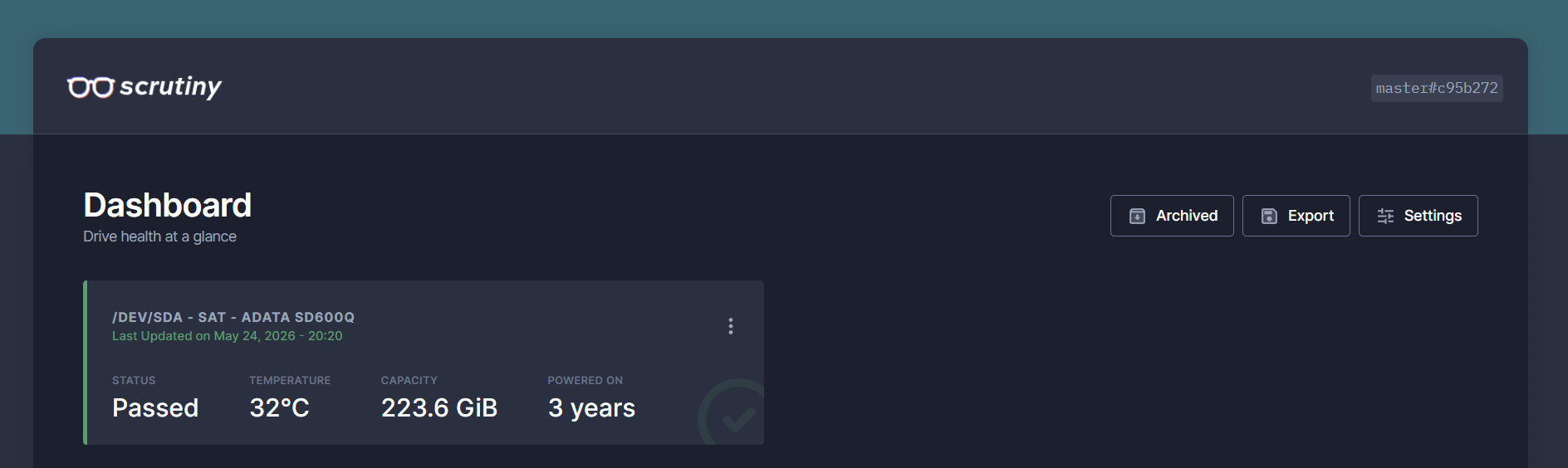
Once the Docker container booted up, the dashboard populated beautifully. Here are the stats that actually matter for a 24/7 server:
Status: Passed. The drive hasn’t tripped any fatal hardware thresholds.
Temperature: 32°C. Perfect for an SSD (they like to be a little warm, but under 50°C).
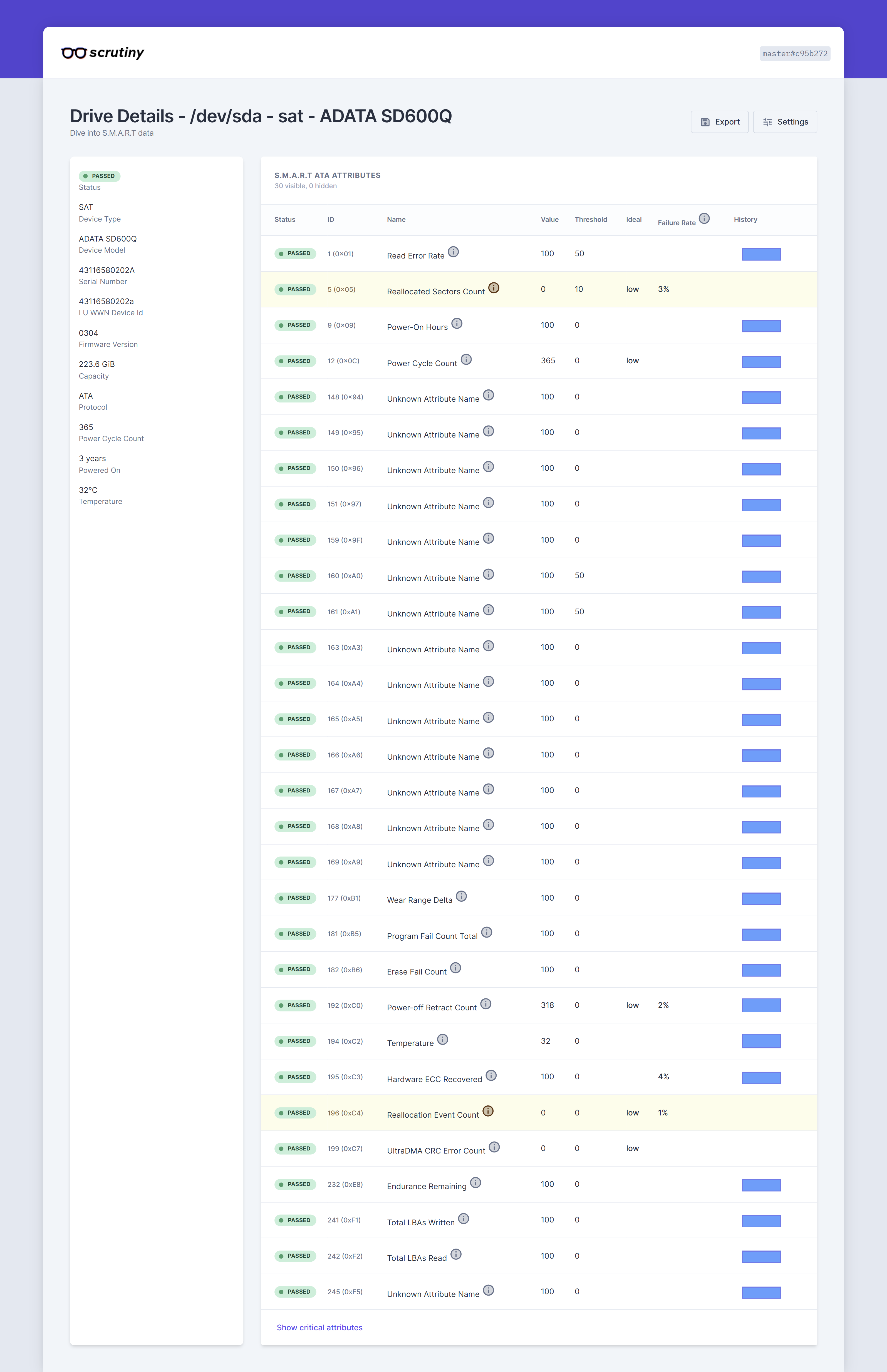
Reallocated Sectors: 0. The flash memory is pristine. It hasn’t had to retire a single dead cell yet.
Endurance Remaining: 100. Despite being powered on for over 3 years, the wear-leveling is barely scratched.
The Quirks: The dashboard was full of Unknown Attribute Name rows. As it turns out, S.M.A.R.T. isn’t strictly standardized. ADATA uses a bunch of proprietary, secret-sauce codes for their internal firmware diagnostics that Scrutiny can’t translate. Since they all read as “Passed,” I just ignore them.
I did notice my Power-off Retract Count was sitting at 318. This tracks how many times the drive lost power without a proper OS shutdown. It’s a sobering reminder: always use sudo shutdown -h now before yanking the power cable from your Pi!
The Verdict
Switching to Docker and getting Scrutiny running alongside Beszel gives me the ultimate peace of mind. Beszel monitors in the present, while Scrutiny watches my physical hardware for the future.
Now, I can just sit back and wait for the dashboard to tell me when it’s finally time to buy a new SSD.